
Local News - Latest & Smart
EASE GroupNews & Magazines
4.13.84K Reviews
- Version
- 2.8.0
- Installs
- 10.00M
- Age Rating
- Everyone
Screenshots



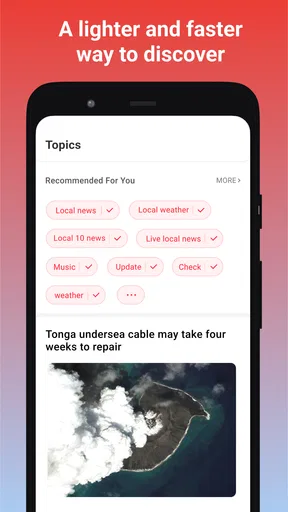



Our Review of Local News - Latest & Smart
 Analysis by Appyee
I usually turn to a local news app for one simple reason: I want to know what is happening close to me without digging through several websites. Local News - Latest & Smart takes that focused approach. It is a free news and magazines app from EASE Group, built around nearby stories and live updates rather than trying to be a complete replacement for every newspaper, broadcaster, or specialist source.
After spending time with it, I see the app as a convenient first stop for people who want a quick sense of what is happening around them. Its biggest appeal is not complexity. It is the idea of opening one place when I am leaving home, checking the area during a commute, or trying to understand why something unusual is happening nearby. The experience is most useful when I treat it as a local awareness tool, not as my only source for major decisions.
What the app feels like in everyday use
The app belongs to the local news side of the news category, so its value depends heavily on how relevant nearby coverage is to my routine. A national news app may give me broader context, while a newspaper app may offer deeper reporting from one publication. This app sits between those habits: it is aimed at finding current information near me with less effort than manually checking multiple local sources.
That makes it a natural fit for short sessions. I can imagine opening it with coffee, scanning the latest items, and closing it once I have a basic picture of the day. It also works for a more practical situation: if traffic, weather-related disruption, a public event, or a local announcement affects my plans, a nearby-news feed can help me decide whether I need to change my route or schedule. I would still verify anything important through an official source, but the app can point me toward what deserves attention.
The store summary emphasizes local and latest news with live updates, and that description matches the central purpose without suggesting that the app is a full newsroom. I would not install it expecting long investigations, a complete archive of one publication, or the editorial voice of a traditional newspaper. Its strength is the quick discovery of stories that are geographically relevant.
The app has reached over ten million installs, with an average rating of 4.1 from around forty thousand ratings and roughly four thousand reviews. Those figures suggest a substantial audience and a generally positive reception, although they do not tell me whether the experience will be equally useful in every town. Local coverage is naturally more valuable in places where enough nearby stories are available.
Speed expectations during short news checks
For this kind of app, perceived speed is less about flashy animation and more about how quickly I can reach useful headlines. The best session is one in which I open the app, recognize the local focus immediately, and begin scanning without unnecessary work. A news reader that makes me wait through a complicated setup or forces me through too many screens loses much of its value during a two-minute check.
I also judge speed by how quickly I can move from a headline to enough context to decide whether it matters. A short local update may be all I need, while a serious incident requires more careful reading and perhaps a second source. The app is therefore most effective when I use its feed as a filter: it helps me identify what deserves my attention instead of asking me to search blindly.
There is an important trade-off here. A broad selection of nearby updates can feel efficient, but a wider feed may also require more scanning. I would not measure its usefulness by the number of items shown. I would ask whether the first screen helps me understand my surroundings quickly. That is a more realistic test for a local news tool than expecting it to behave like a full newspaper front page.
Live-update wording can also create an expectation of constant freshness. In practice, news availability depends on what is happening locally and on how quickly reporting reaches the sources behind the app. I would see the app as a fast way to notice developing topics, not as a guarantee that every event will appear the moment it begins.
Using it during heavier news moments
The most demanding use case is not a quiet morning. It is a busy local event when many people are checking for updates at once: a serious disruption, a major public gathering, or a rapidly changing situation. In those moments, I want the app to help me separate new information from older headlines and to keep the reading process understandable. I also expect that any news reader can feel less useful when the information itself is changing faster than it can be confirmed.
My practical advice is to avoid treating a single headline as a complete answer. When a story affects safety, travel, money, or family plans, I would read the available context and then compare it with an official announcement or a trusted local outlet. This is not a criticism unique to this app; it is a sensible habit for any aggregator-style news experience. The convenience of collecting local stories should not replace verification.
Heavy use can also mean repeated checking throughout the day. That is where the app’s focused purpose becomes helpful, because I am not starting from a blank search each time. However, repeated checking can turn into noise if I open the app without a clear reason. I get more value by checking at natural points—before leaving, after arriving, or when I hear about an event—rather than refreshing constantly.
Another useful workflow is to use the app for discovery and a publisher’s own page for depth. If a headline affects my neighborhood, I can use the local feed to find it, then look for the original reporting or an official notice before acting. This two-step habit is one of the strongest ways to get value from a convenient news aggregator without asking it to do a job it was not designed to do.
Reliability, freshness, and reading confidence
Reliability in local news has two meanings. The first is technical: can I open the app and read without repeated failures? The second is editorial: can I understand where a story comes from and how much confidence I should place in it? A smooth interface cannot compensate for unclear or outdated information, while accurate reporting is less useful if it is difficult to access.
I would approach this app as a discovery layer. That means I pay attention to the wording and timing of each item instead of assuming every headline has the same level of confirmation. A developing local story may change quickly. An older item may remain relevant but no longer describe the current situation. Reading the timestamp or date shown with an article, when available, is a small habit that prevents many misunderstandings.
The app’s audience size gives me some confidence that it is an established product rather than a brand-new experiment. EASE Group has maintained it through version 2.8.0, and the app is available for Android devices running Android 6.0 or later. Those details matter for longevity and compatibility, but they do not guarantee identical performance on every phone. Older hardware, limited storage, or an unstable connection can still shape the experience.
Recovery is especially important for a news app because I may open it while moving between networks. If a page does not load, I would first check whether other apps can reach the internet, then retry after the connection settles. I would not assume that a temporary loading problem means the content is gone. Conversely, I would not repeatedly refresh a weak connection and expect a better result. A short pause and a later check are often more practical.
For important local emergencies, I would never rely on this app alone. Official alerts, emergency services, transport operators, schools, and local authorities may communicate information that a general news reader does not present immediately. The app can help me notice a developing story, but the safest workflow is to use it alongside the authoritative channel relevant to the situation.
Device limits and resource-conscious habits
Because the app supports Android 6.0 and later, it is accessible to people using older Android devices as well as newer models. That broad compatibility is useful, especially for anyone who keeps an older phone as a backup or does not upgrade frequently. Still, minimum operating-system support should not be confused with identical responsiveness. A recent phone with plenty of free space will usually feel more comfortable with any modern news reader than an aging device under heavy load.
I would also avoid judging the app during a moment when the phone is already struggling. If many apps are open, storage is nearly full, or the connection is poor, news images and article pages may take longer to appear. Closing unused apps, freeing a little storage, and using a stable connection are simple steps that can make a bigger difference than changing news preferences.
For people who are careful about mobile data, the sensible approach is to use local news deliberately rather than leaving it open all day. I would check it when I need an update and close it afterward, especially when traveling. The app is free to install, but “free” does not mean that network use or attention has no cost. A focused reading routine keeps both under control.
Battery expectations should be equally practical. A short headline check is a different workload from repeatedly opening articles and browsing for a long period. I would not keep the app running simply because I want to stay informed. Instead, I would make it part of a routine and use official alert systems separately when immediate notifications are essential.
The Everyone content rating also makes the app approachable for a broad household audience. Even so, age suitability does not remove the need for judgment. Local reporting can include upsetting events, accidents, or crime, so parents may still want to decide how and when younger readers use any news application.
Who will get the most from it
I think this app is a good match for people who have recently moved, commuters who cross several neighborhoods, students trying to understand their area, and residents who want a quick local briefing without subscribing to a particular newspaper. It is also useful for someone who follows community developments casually and does not want to maintain a long list of separate local websites.
It can be especially practical for a person whose day changes according to what is happening nearby. Imagine planning a morning trip and noticing a local update that explains an unusual delay or a public event. The app may not solve the problem by itself, but it can give me the prompt to investigate before I leave. That small advantage is exactly where a local feed earns its place on my phone.
I would be more cautious about recommending it as the main app for a reader who wants deep analysis, a specific publication’s complete reporting, business coverage, sports detail, or a carefully curated national briefing. In those cases, a dedicated newspaper, broadcaster, or specialist app may be better. This app’s convenience comes from breadth and proximity, not necessarily from the deepest treatment of every subject.
It is also not the right choice for someone who dislikes scanning several headlines or who expects every local area to have equally rich coverage. The experience will feel more rewarding when nearby stories are available and relevant. If the feed repeatedly feels too general, too quiet, or disconnected from my actual location, a directly local publisher may serve me better.
How it compares with familiar alternatives
Compared with opening several local newspaper sites in a browser, this app should feel more focused for quick discovery. A browser gives me control over exactly which publications I read, but it also makes me do more of the organizing. The app is attractive when I value convenience and a single starting point more than loyalty to one editorial source.
Compared with a newspaper’s own application, the trade-off is clearer. A dedicated publication app may offer stronger continuity, recognizable reporting, and a more consistent editorial identity. Local News - Latest & Smart is more useful when I want to look across nearby topics rather than commit to one outlet. I would use the aggregator to find what is worth reading and the publisher’s app when I already know whose coverage I trust.
Compared with a national news app, this one should be more relevant to daily surroundings but less suitable for understanding international or countrywide developments. I would not replace a broad news habit entirely. Instead, I would give this app a specific role: local awareness at the beginning of the information routine, followed by deeper sources when a story matters.
Social media can be faster at surfacing rumors and eyewitness posts, but that speed comes with distraction and uncertainty. A local news app offers a calmer place to begin, while social platforms may provide more immediate conversation. I prefer not to use social posts as my only confirmation for anything important, and the same principle applies here: speed is helpful, but context and source awareness matter more.
My performance verdict
After considering speed expectations, busy-news scenarios, reliability, and older-device compatibility, I see Local News - Latest & Smart as a practical, low-commitment addition to a phone. Its free price removes the main barrier to trying it, and its broad Android compatibility makes it accessible to many users. The 4.1 average from a large audience points to a generally solid experience, while leaving room for individual differences in local coverage and device performance.
The best way to use it is as a local-news starting point, not as the sole authority for urgent or consequential information. That distinction makes the app more useful, not less. It lets me scan nearby developments quickly, recognize subjects that affect my day, and then move to an official source or a trusted publisher when I need confirmation and depth.
I would recommend installing it if you want a simple way to keep local stories in view, especially when you do not already follow one dependable neighborhood outlet. I would skip it if your priority is long-form journalism, a single publisher’s complete archive, or instant emergency communication. For everyone in between, the app earns its place by reducing the effort needed to notice what is happening close to home.
In the end, my opinion is favorable but measured. EASE Group has built an app with a clear purpose, and version 2.8.0 remains easy to understand: open it when local context matters, scan with a critical eye, and verify anything that could change an important decision. Used that way, it is a useful companion for everyday awareness rather than an overpromising replacement for the entire news landscape.
Privacy and Permissions
See what permissions an app requests and how it handles your data.
- Location
- approximate location (network-based)
- Phone
- read phone status and identity
- Photos/Media/Files
- read the contents of your USB storage, modify or delete the contents of your USB storage
- Storage
- read the contents of your USB storage, modify or delete the contents of your USB storage
- Wi-Fi connection information
- view Wi-Fi connections
- Device ID & call information
- read phone status and identity
- Other
- view network connections, full network access, run at startup, control vibration, prevent device from sleeping, read Google service configuration
Verdict
Strengths of Local News - Latest & Smart
- Covers local stories alongside major national and global headlines.
- Smart recommendations help surface news matching your interests.
- Clean layout makes browsing articles quick and straightforward.
- Useful alerts can keep you informed about breaking local developments.
- Supports convenient reading on the go with a mobile-friendly design.
Limitations of Local News - Latest & Smart
- Coverage quality may vary significantly by location.
- Some areas may have fewer stories than larger cities.
- Frequent notifications can become distracting without careful settings.
- Personalized feeds may limit exposure to differing viewpoints.
- Some features or articles may require an internet connection.
Other Releases by EASE Group
View All
Local Weather News - Radar
News & Magazines4.3
Similar Picks in This Category
View All
Google News - Daily Headlines
Google LLC4.0

X
X Corp.4.8

Flipboard:Your Social Magazine
Flipboard3.4

Opera News: breaking & local
Opera4.5

Hindi News by Dainik Bhaskar
Dainik Bhaskar Group4.0

Way2News Daily News App
Way2News ( Formerly Way2SMS )4.6
Frequently Asked Questions
What is Local News - Latest & Smart?
Local News - Latest & Smart is a news application designed to help users follow stories from their surrounding area alongside broader national and international coverage. After exploring the app, its main focus is convenience: it gathers headlines, articles, and updates into one mobile feed so you can check important developments without visiting several different news websites or switching between multiple apps.
How does Local News - Latest & Smart choose the news I see?
The app generally uses your selected location, reading interests, and available news sources to present a more personalized feed. During setup, users may be asked to choose a city, region, or preferred topics. The selection can usually be adjusted later, which is useful if you move, want to follow another area, or notice that the recommendations are not matching your interests. Results can vary by location and source availability.
Does Local News - Latest & Smart provide real-time breaking news?
Local News - Latest & Smart can help you keep up with recently published stories and developing events, but it should not be treated as a guaranteed emergency-alert service. Publication speed depends on the original news provider, the app’s update process, your internet connection, and notification settings. For urgent safety instructions, severe weather, or official emergencies, always check local authorities and verified government channels.
Is Local News - Latest & Smart free to download and use?
The application may be available to download without an upfront charge, although the exact features and conditions can depend on the Android or iOS version and your region. Free news apps commonly support their service through advertising, sponsored content, optional subscriptions, or links to external publishers. Before downloading, review the store listing for in-app purchases, advertising details, and any premium features that may require payment.
What privacy permissions does Local News - Latest & Smart require?
The permissions requested can vary according to the device and the features you enable. A local-news application may request location access to customize regional stories, notification permission for alerts, and network access to load articles and media. You can normally deny optional permissions or change them later in your phone’s settings, but limiting location or notifications may reduce personalization and the timeliness of updates.
